Coreshift Technology.

Automation / Technology

One platform.
Your boundaries.

How our websites, applications and AI automation are built, where your data lives, what the AI model sees, and how records are protected from loss. Two ways to run it: hosted by CoreShift, or inside your own AWS account.

The 30-second version.

How a CoreShift automation is put together Three columns. On the left, the tools work already arrives in: email, forms and requests, your CRM, and accounting. In the middle, the CoreShift platform in three stacked layers: a gateway that verifies signatures, rejects duplicates and routes; then the scoped bots; then your own tenant database, an isolated schema holding only your data. On the right, what you see coming back out: operator alerts, outbound email, and exports. WHERE WORK ARRIVES Emailrequests and replies Forms & requestsfrom your website Your CRMcontacts, opportunities Accountinginvoices, payments CORESHIFT PLATFORM Gateway verifies signatures · rejects duplicates · routes SCOPED PER ENGAGEMENT Projectcoordination Receptionand routing Accountsreceivable …plus the rest of the catalog Your tenant database isolated schema · your data only requestscontactsaudit_logdocumentsfinancialsprocessed_msgs WHAT YOU SEE Operator alertsapprovals, errors Outbound emaildocuments, replies Exportsyour records, on request work arriving actions out

Three layers. Each customer gets their own tenant database; the bots share the platform. Which bots exist for you, and what each one may do without asking, is set in your scope.

What we build, technically.

Websites

Our default for a marketing site is generated static pages: no database, no plugins and no admin login on the public site, so there is nothing on it to break into and nothing to patch every week. Pages are served over TLS 1.3. Private files are blocked at the edge, and that block is checked by planting a file and requesting it, not by reading the configuration. Analytics are self-hosted and cookie-free, so visitor data is not handed to an ad network. The contact form stores each enquiry before notifying anyone, so a mail outage cannot lose a lead.
Custom applications

React and TypeScript in the browser, PostgreSQL or MySQL underneath, Python or Node services in between. Each application gets its own database or schema, reached through its own restricted login. Where an application runs on Supabase, permissions are enforced by the database with row-level security: a screen cannot show a row the signed-in person may not read, even if the screen's own code is wrong. Our public demonstration apps run with outbound traffic limited to a single named host, so even a compromised demo cannot reach anything else.

AI engines and automation

The model is Claude, from Anthropic. It writes language and decides which question to ask. It does not do arithmetic and it does not browse your records: figures come from code, through a fixed set of tools the bot may call, each with a fixed shape. In the project manager assistant no tool even has a field for another project manager, so a request for somebody else's jobs has nowhere to go, and a guard refuses any figure in a reply that a tool did not produce that turn. Bots run under spending caps, so a loop cannot run up a bill.

Three layers, three jobs.

The gateway, everything enters here

One front door for every workflow. It verifies that an incoming message is genuinely from where it claims to be, rejects duplicates so a retried delivery cannot fire an action twice, and routes what is left to the right bot for the right tenant. It is the layer that makes the other two safe to reason about: nothing reaches a bot that has not been checked and attributed first.

The bots, one workflow each

A bot owns one job and holds the rules for it: what it may do on its own, what it must prepare and hand to a person, what counts as an exception, and what it does when a field it needs is missing. Club Coordinator, an existing product, currently paused, holds one set of those rules, for member services; the PM assistant holds another, answering a project manager's questions about their own jobs and nobody else's, and it is the one of the two answering questions today. They share the platform and its plumbing; they do not share your data. Adding a second bot does not widen the first one's access.

Your tenant database, the boundary that matters

Your records live in a Postgres schema of your own, and a connection scoped to your tenant cannot address another one. This is the difference between isolation that is enforced by the database and isolation that depends on every query remembering to say "where tenant_id = …". The first survives a mistake in application code. The second is one forgotten clause away from a leak.

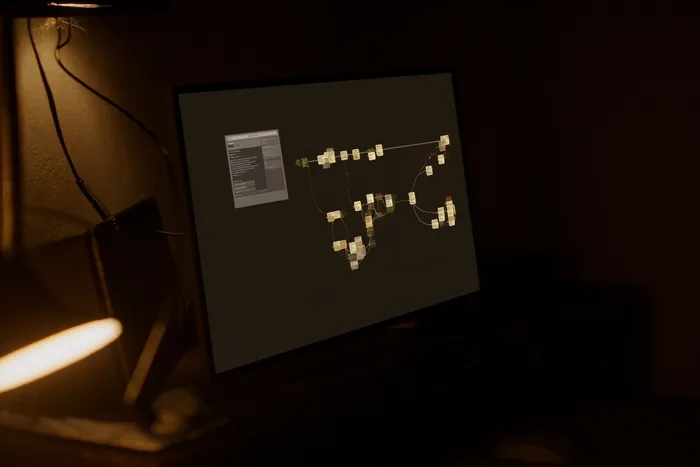
A workflow builder on a monitor, connected steps running unattended on a dark canvas.

Technology

It runs when
nobody is there.

A trigger arrives, the gateway verifies it, the bot does the routine part and stops where you told it to stop. The audit log is what you read in the morning.

Option A: hosted by CoreShift.

In use today

Many customers share the platform's code and none share data. This is how the bots we operate are run today.

Option A: hosted by CoreShift, many customers on one platform On the left, your side: your staff, your business systems, and an optional on-premises database that pushes read-only data out through a bridge. In the middle, the CoreShift-hosted platform: an edge that only accepts encrypted web traffic, a gateway that checks and routes, shared bot code, and one Postgres database in which each customer has a schema of its own, reachable only from the server itself. On the right: the Claude model at Anthropic, which receives only the fields one step needs; nightly encrypted backups kept off the server; and a daily snapshot copied to a second AWS region. YOUR SIDE Your staffapprove, edit, reject Your systemsemail · CRM · accounting On-premises databaseoptional read-only bridge, outbound no inbound firewall hole CORESHIFT-HOSTED · AWS EdgeTLS 1.3 · only web ports open Gatewayverify signature · reject duplicate · route Botcustomer A Botcustomer B Botcustomer C Postgres · one schema per customer listens on the server only, never the internet schema AA only schema BB only schema CC only Nightly backup jobdatabase dumps · secrets encrypted AES-256 OUTSIDE THE SERVER Anthropic APIClaude · TLS · no training Off-site backupsS3 · private · versioned Daily snapshotcopied to a 2nd region only one step’s fields into the platform leaves the server optional, outbound only from your network

Exposure: who can see your records

Your records sit in a database schema of your own, and a bot connected for your tenant cannot address another schema. The database answers only on the server itself, never on the internet; the only public ports are web traffic and administrator access. What this option asks of you is trust in CoreShift's administrators, who can reach the server. If that is the part you are not comfortable with, option B exists for exactly that reason.

The model: what leaves, and what happens to it

A bot sends Claude the fields one step needs: this invoice's number, amount and due date, not your ledger. It goes over TLS to Anthropic's commercial API. Anthropic's published terms say retained data is never used to train a model without your express permission; that conversation content is not retained by default, except for a newest tier of models that requires 30-day retention; and that zero data retention can be arranged. The models our bots use today are outside that tier.

Loss: what happens when something breaks

Every night the databases are dumped and the credentials are bundled with AES-256 encryption. Two weeks are kept on the server and a copy goes to a private, versioned, encrypted S3 bucket off the server. A snapshot of the whole server is taken daily and copied to a second AWS region. Plainly: the recovery point is up to 24 hours, there is no live standby, so losing the server means a restore measured in hours, and the server's disk is not yet encrypted at rest. The backups are.

Option B: inside your own AWS account.

Available per engagement · no client runs it yet

For a business that does not want its financial data on anyone else's server or sent to anyone else's AI service. The same software, packaged and deployed into an AWS account you own and pay for. We have run the packaged runtime end to end, with its tamper-evident log, in a test environment; it has not yet been deployed into a client's account.

Option B: the same software inside your own AWS account A large boundary marks your AWS account. Inside it, a private network with no public inbound access holds the runtime (gateway and bots), the QA agent, a PostgreSQL database encrypted with a key you own, and a secrets store. A private endpoint connects the runtime to Amazon Bedrock, where the Claude model runs in your account and region. Outbound traffic passes an allowlist. CloudTrail logs every API call and you hold the encryption keys. Below, versioned backups with deletion lock and point-in-time restore. Outside the account: your financial system, reached with a read-only account; your approvers; and CoreShift, which can only deploy a release through a role you grant and can revoke. YOUR AWS ACCOUNT · YOUR REGION PRIVATE NETWORK · NO PUBLIC INBOUND Runtimegateway · bots QA agentreads, never writes PostgreSQL (RDS)encrypted · your key Secrets Managercredentials, rotated Private endpointno public internet path Egress allowlistonly named hosts CloudTrail logsevery API call, yours KMS keysheld by you Amazon BedrockClaude · in your account model provider has no access to your prompts Versioned backupsS3 · deletion lock Point-in-time restoreto the minute Optional standbysecond zone Release roleyou grant · you revoke OUTSIDE Financial systemread-only account Your approversemail · Teams CoreShiftrelease role only inside your account out through the allowlist backups · releases you approve

Exposure: who can see your records

Nobody outside your account. The database, the bots and the logs live in your AWS account, on a private network that accepts no connection from the internet. CoreShift has no standing access: we deploy a release through a role you create, which you can time-limit, watch in your own CloudTrail, and revoke in one click. Your financial system is reached with a read-only account wherever the workflow only needs to read.

The model: what leaves, and what happens to it

Nothing leaves your account to reach the model. Claude runs on Amazon Bedrock in your account and region, reached over a private endpoint. AWS states that model providers, Anthropic included, have no access to the accounts where models run, so they never see your prompts or replies. Bedrock offers zero data retention for models that support it; the newest Claude tier instead requires up to 30 days of retention inside AWS for AWS review, not shared with Anthropic. We choose the model with you, knowing which applies.

Loss: what happens when something breaks

The database, disks and backups are encrypted with a key you own. Managed backups give point-in-time restore, measured in minutes rather than a day. Backups go to a versioned bucket with a deletion lock, so even an administrator, or a stolen administrator login, cannot erase them before their retention ends. A standby in a second availability zone is an option if downtime matters more than cost.

Side by side.

The same questions, answered for both.

QuestionA · Hosted by CoreShiftB · Your AWS account
Where your records liveA schema of your own in CoreShift's databaseA database in your own AWS account
Who holds the keysCoreShiftYou. CoreShift gets a release role you can revoke
Where the model runsAnthropic's API, over TLSAmazon Bedrock in your account, over a private endpoint
Who can reach the serverCoreShift administratorsYour administrators; CoreShift only during a release you allow
Encryption at restBackups yes; the server disk not yetDatabase, disks and backups, with your key
Recovery pointUp to 24 hours (nightly)Minutes (point-in-time restore)
StandbyNone; restore from a snapshotOptional, in a second availability zone
Audit trailThe bot's action logThe bot's action log, plus CloudTrail in your account
AWS billPart of CoreShift hostingYours, paid to AWS directly
StatusIn use todayAvailable per engagement; no client runs it yet

Model data terms as published, checked November 2026: Anthropic, API and data retention · AWS, Bedrock data protection · AWS, Bedrock data retention. Vendors change their terms; read the current versions before relying on ours.

A second agent that only checks the first.

Available per engagement · not yet running for a client

The QA agent is a second AI agent whose only job is to validate the primary agent's output before anyone sees it. It cannot act. It can only pass a draft or hold it with reasons. The plain-code part of this, a guard that refuses any figure a tool did not produce, already runs in the project manager assistant.

  1. The primary agent drafts

    It reads the request, calls its tools, and prepares a reply, a document or a record change. Nothing is sent or saved yet.

  2. The QA agent reviews

    A separate model call with its own instructions, given only the draft, the tool results the draft was built from, and your rules.

  3. Code checks the numbers

    Every figure must match a tool result exactly; totals are recomputed in code, never by a model.

  4. A person decides

    Anything consequential still waits for approval, with the QA findings attached so the reviewer sees what was questioned.

  5. Everything is logged

    The draft, the verdict, the findings and the final decision sit side by side in the action log.

What it can do

Pass the draft, or hold it with a list of findings, each pointing at the field or sentence it questions. That is all. It has no tools that write, send or change anything, and it cannot edit the draft into something that passes. A held draft goes to a person with the findings attached; it is never retried silently until it gets through.

What it checks

That every number, date, name and account in the draft appears in the records it came from; that the action is one your scope allows, for an amount under your threshold, to a recipient on your list; that nothing from another customer or another person's records has crept in; that missing information was reported as missing rather than filled in; and that the tone and wording follow your rules.

Why a separate agent, and its limits

A model asked to check its own work tends to agree with itself. The reviewer starts cold, from different instructions, and is set up to look for a reason to refuse. It is not a guarantee: two models can share a blind spot, and it adds time and cost to every step. That is why it sits in front of the human approval and the code checks, never in place of them.

Safeguards you can require.

Connecting software to your financial systems should come with conditions. These are the ones we recommend, and any of them can be written into your engagement.

  • Start read-only

    The first phase only reads and drafts. Write access is added later, one action at a time, after you have reviewed real output.

  • No money moves

    Bots never initiate payments or change bank details. They prepare; a person executes in your financial system, under your existing controls.

  • Thresholds and two approvers

    Above an amount you set, a second named person must approve. The threshold is code, not an instruction to the model.

  • Least privilege, per workflow

    Each workflow gets its own service account with only the permissions it needs, separate from any person's login, so it can be cut off alone.

  • Send the model less

    Fields the step does not need are never sent. Tax IDs and bank account numbers are masked before any prompt is built.

  • An outbound allowlist

    The software may only reach the hosts you name. A compromised component has nowhere to send your data.

  • A kill switch

    One action pauses every bot, and every credential can be revoked from your side without waiting for us.

  • A tamper-evident log

    Each log entry carries the fingerprint of the one before it, so an edited or deleted entry breaks the chain and shows. We have built and tamper-tested this.

  • Shadow mode first

    Before going live, the bot works alongside your staff and its drafts are compared with what your people actually did.

  • Spending and volume caps

    Daily limits on model spend and on actions, with an alert when volume looks unusual.

  • Restore drills

    A backup is only proven by restoring it. Ask for scheduled restore tests and their dates in writing.

  • Put it in the contract

    Data ownership, retention, zero data retention where available, deletion at the end, and breach notice timing belong in the agreement, not on this page.

What one run actually does.

An illustrative sequence, not a recording of a customer's workflow. The steps are the real ones; the example is written for this page.

  1. A request arrives

    An email, a form submission, or a record created in a system you already use. The gateway checks it is genuine and that it has not already been handled, the same message arriving twice must not produce two replies.

  2. The bot reads it against your rules

    Not "what would a model say", what your scope says this workflow may do. Missing information is treated as missing, not guessed: a request with no amount stops and asks rather than inventing one.

  3. It writes to your tenant database

    A record with an owner, a state and a timestamp. Every action is appended to your audit log as it happens, including the ones that were refused.

  4. It prepares the outgoing action

    A draft reply, a document, an update to a record. Preparing is not sending.

  5. A person decides

    Anything consequential waits at the approval gate and is delivered to whoever your scope names. They can edit it, approve it, or reject it with a reason.

  6. Then it goes out, and is recorded

    The approval, the approver and the final content are written to the audit log next to the draft that preceded them, so the record shows what was proposed as well as what was sent.

Integrations need evidence.

A connector is not finished when it authenticates. It is finished when it has moved real records end to end, in your accounts, and failed in the ways it will fail in production, a revoked token, a renamed field, a rate limit, without losing work or acting on a half-read message.

So a workflow is scoped against the systems you actually run, and the connections it needs are agreed and tested before activation rather than assumed from a logo on a page. Where a connection has not been proven for your setup, the honest answer is that it needs building and testing, and that is what you will get.

Where it runs, and
who sets the terms.

By default the platform runs on CoreShift infrastructure (option A). If your data has to stay in an account you own, it can run in your AWS account instead (option B). Say so early: it changes the shape of the engagement rather than being a setting.

Where a workflow has to read a system that only exists on your network, an on-premises accounting or job-costing database for example, the pattern is a read-only, outbound-only bridge that runs on your side and pushes out. No inbound firewall hole, no VPN, and nothing on your network that accepts a connection from outside.

Hosting, backup schedules, retention windows, who holds which credential and what happens at the end of the engagement are all engagement terms, set in writing with you. A marketing page is the wrong place to fix them, and you should be suspicious of one that tries.

Read the security and data-handling detail See how an automation is scoped and activated

Let’s talk about the work

What are you tired
of working around?

Show us the spreadsheet, the website, or the task you keep explaining. That’s enough to start a useful conversation. Start a project